
Powering 600+ of websites

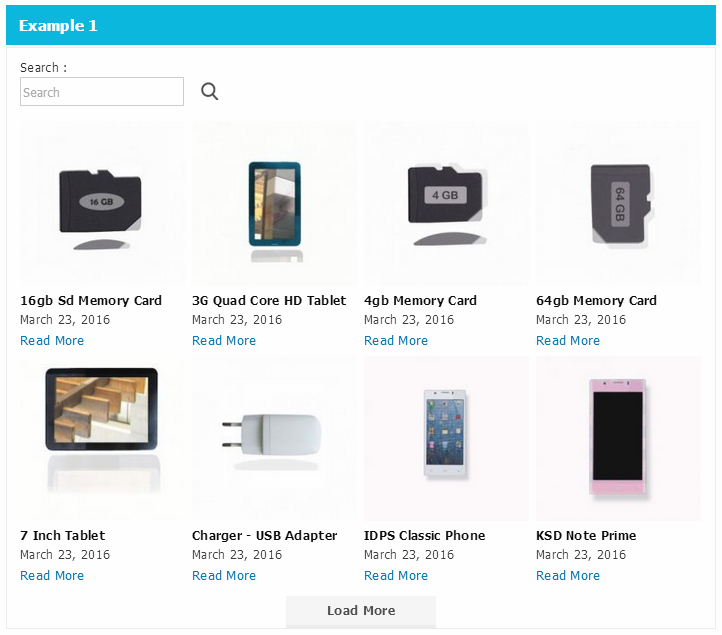
Ajax Load More – WordPress Infinite Scroll, Search & Filter
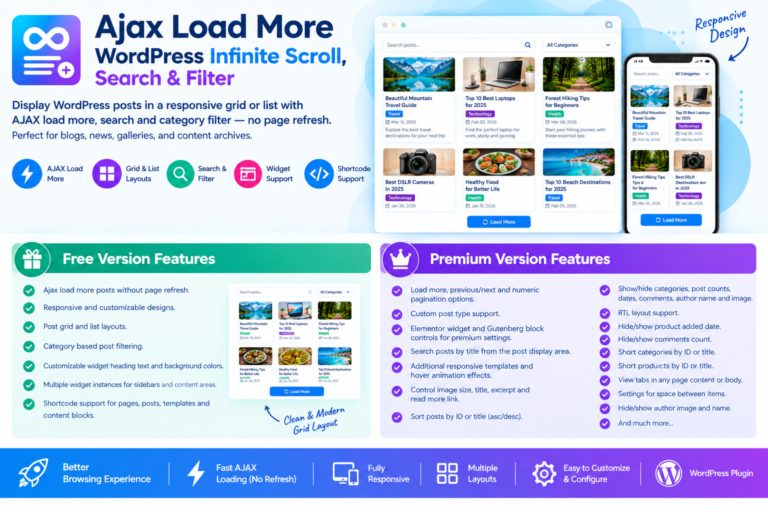
Managing a growing WordPress blog can make it harder for visitors to find the content they want. Ajax Load More makes browsing easier by displaying posts in a responsive grid or list and allowing visitors to load more content without refreshing the page.
Whether you run a blog, news website, magazine, or content-rich business site, the plugin offers a simple way to organize posts and improve the browsing experience. You can configure the display through the available widget settings or add posts to different areas of your website using a shortcode.
The plugin is useful for websites that want smoother content navigation alongside features such as category filtering and AJAX-based pagination. If you’re exploring options for ajax wordpress search or a wp ajax search solution, it’s worth noting that Ajax Load More focuses primarily on post loading and display, while dedicated search plugins provide more advanced search functionality.
🚀 Key Features
- AJAX post pagination: Let visitors browse additional posts using Previous and Next controls without reloading the entire page.
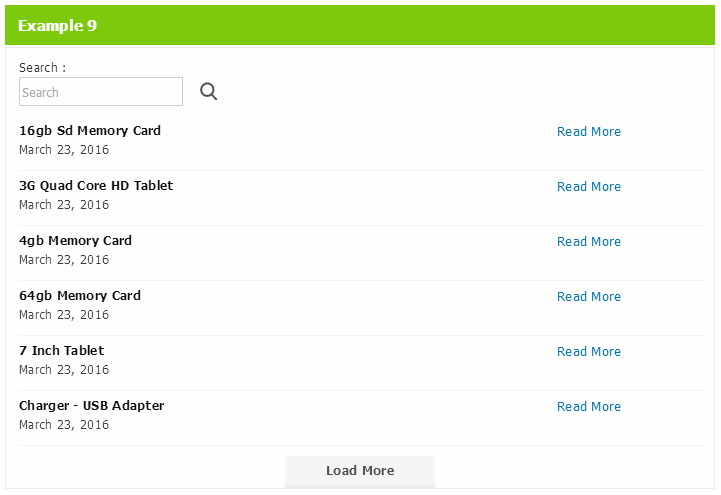
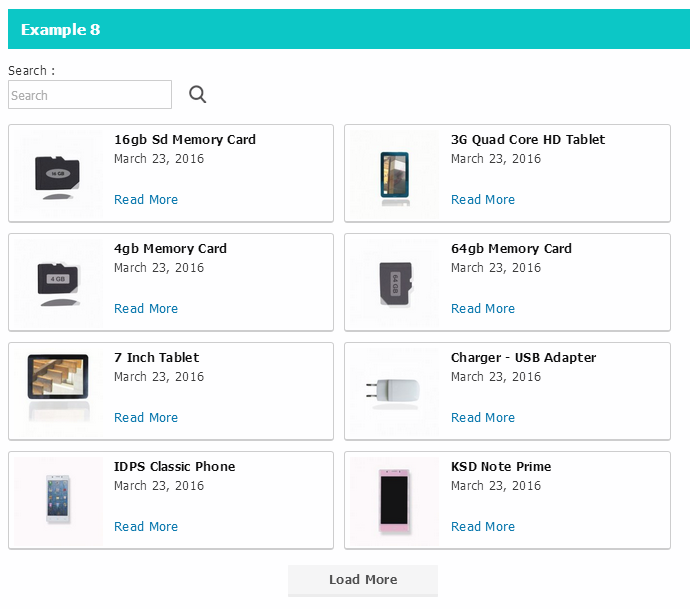
- Responsive post layouts: Display blog posts in a grid or list that adapts to different screen sizes.
- Category filtering: Help readers narrow down posts by category.
- Customizable appearance: Adjust widget headings, background colors, and other available display settings.
- Featured images: Show post images using responsive templates to create a more engaging content layout.
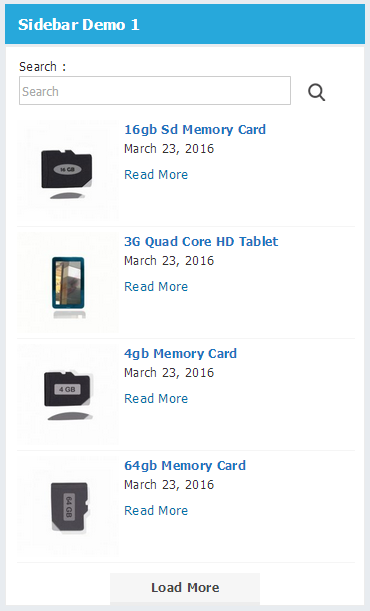
- Multiple widget instances: Add different post sections to sidebars, pages, and other supported content areas.
- Shortcode integration: Place post listings in WordPress pages, posts, templates, and supported page builders.
🧩 Add Posts Using a Shortcode
You can display posts without building a custom template. Simply add the following shortcode to a WordPress Shortcode block or a compatible shortcode element in your page builder.
[ajaxpostloadmore number_of_post_display="6" template="pane_style_1"]
This example displays six posts using the pane_style_1 template. You can adjust the shortcode attributes to suit your website’s layout and content requirements.
🎯 Where Can You Use Ajax Load More?
Ajax Load More works well in several types of WordPress layouts, including:
- Blog homepages that display the latest articles.
- News and magazine websites with large post archives.
- Category pages where readers browse related content.
- Landing pages featuring selected blog posts.
- Sidebars and other compact content sections.
For websites that need visitors to search for specific articles, a dedicated ajax search wordpress plugin may be a useful addition. Features such as WordPress autocomplete search can display suggestions as users type, helping them find relevant content more quickly.
🔧 How to Set It Up
Getting started with Ajax Load More is straightforward:
- Open the WordPress page or post where you want to display your articles.
- Add a Shortcode block in the Gutenberg editor, or use a shortcode element in Elementor or another compatible page builder.
- Paste the shortcode into the block.
- Update the shortcode attributes to control the number of posts and the template used.
- Publish or update the page and test the post listing on your website.
Once configured, visitors can browse additional posts through AJAX rather than waiting for a full page reload.
⭐ Premium Features
The premium version offers additional options for websites that need more control over their post listings and navigation.
- Advanced AJAX pagination: Choose from Load More buttons, Previous/Next navigation, and numeric pagination.
- Custom post type support: Display content beyond standard WordPress posts.
- Page builder integration: Access additional controls through supported Elementor widgets and Gutenberg blocks.
- Search by post title: Allow visitors to search for posts directly from the display area.
- Additional templates: Choose from more layout options and hover effects.
- Image and content controls: Customize image sizes, titles, excerpts, and Read More links.
- Sorting options: Order posts by ID or title in ascending or descending order.
- Flexible post information: Show or hide categories, post counts, publication dates, comments, author names, and author images.
- RTL support: Configure layouts for right-to-left languages.
- Adjustable spacing: Control the distance between items in the post listing.
- Multiple shortcode configurations: Create different post displays for different sections of your website.
🔎 Ajax Load More vs. WordPress AJAX Search Plugins
Ajax-based loading and AJAX-powered search solve related but different problems. Ajax Load More is primarily designed to load and display posts dynamically. A dedicated search plugin is more appropriate when you need live search results, keyword suggestions, or product search.
For example, ajax search pro is a search-focused option to explore when you need more advanced search functionality. If your website runs an online store, ajax search for woocommerce and woocommerce ajax search are more relevant search terms when looking for tools that help customers find products quickly.
The right choice depends on what your website needs. Use Ajax Load More to improve post browsing and pagination, and consider a dedicated wp ajax search solution if live search and autocomplete are important to your visitors.
Final Thoughts
Ajax Load More offers a practical way to present WordPress content in an organized, responsive layout. Its shortcode support, category filtering, and AJAX pagination make it useful for blogs, news websites, and other content-heavy sites.
If your main goal is to help visitors browse more articles without constantly reloading the page, it is worth considering. If you also want instant search suggestions or product search, look for a compatible WordPress AJAX search plugin that provides those specific features.
Ajax Load More – WordPress Infinite Scroll, Lazy Load More Posts
$27.00 Original price was: $27.00.$6.00Current price is: $6.00.
Purchase Includes
🗎 30-day money-back guarantee
🗎 Product updates and improvements
🗎 Customer documentation support
Plugin Version
🗎 Version 1.0.1
🗎 Last updated 1 month ago
🗎 WordPress version 4.0 or higher
🗎 Tested up to 7.1.2
🗎 PHP version 7.2 or higher
Excellent 4.9 of 5 stars rating
Based on 530+ real users reviews

4.9 of 5 (125 reviews)

5 of 5 (225 reviews)



We bring innovation and creative freedom to the WordPress ecosystem
Sapien sagittis interdum quisque urna luctus eget morbi vivamus eget cras scelerisque lectus proin aliquam erat pellentesque pellentesque sed lectus volutpat semper pellentesque aliquam in metus.
Join over 12,898 of customers that already building amazing websites