
Powering 600+ of websites
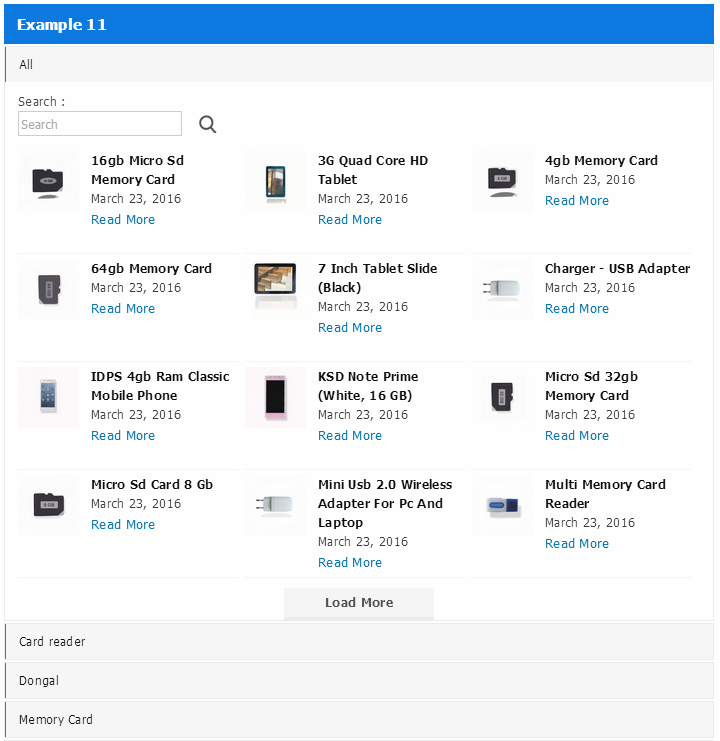
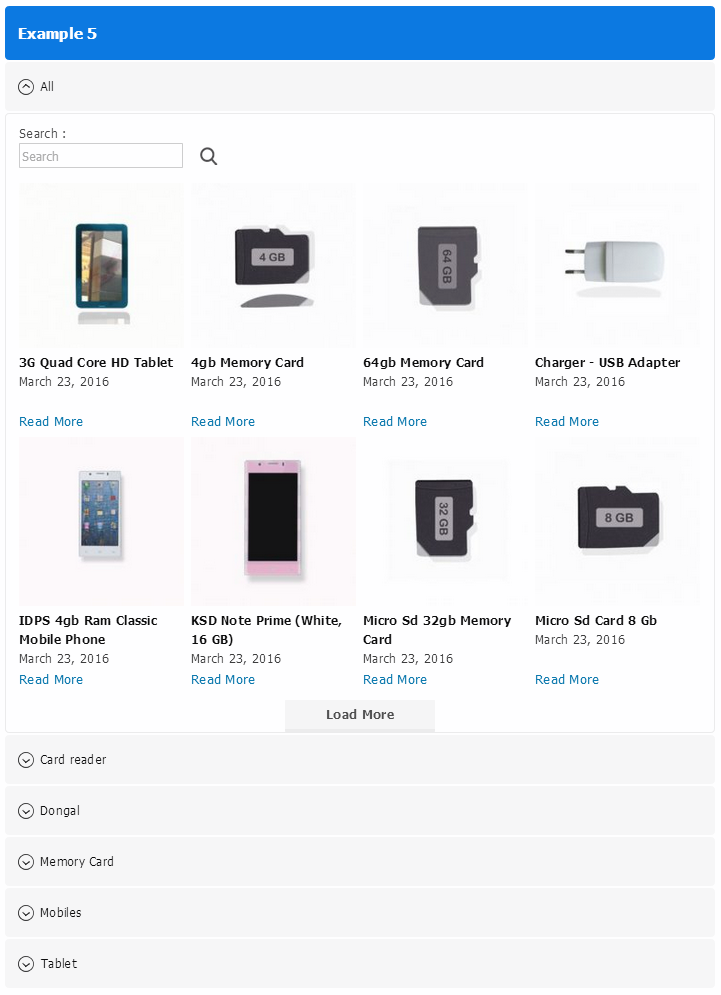
🚀 Accordion Plugin – Category Posts, Product FAQs & Load More
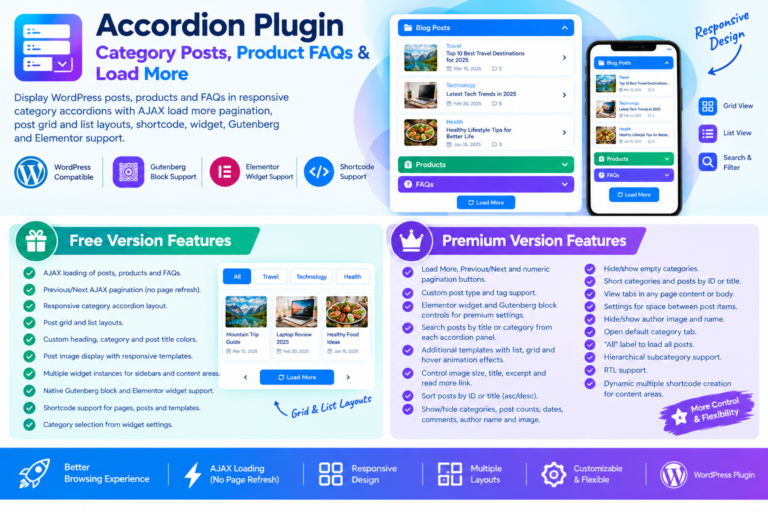
Make your WordPress website more organized and user-friendly with our WordPress Accordion Plugin . It is an easy-to-use solution for displaying categories, blog posts, product FAQs, and other website content in attractive accordion panels.
Want to display WordPress categories in an expandable menu? Looking for a simple WordPress FAQ plugin to organize questions and answers? Or need an easy way to show posts under their respective categories? This plugin has everything you need.
Visitors can browse categories, view related posts, and find useful information without jumping between multiple pages. With AJAX-based Load More and search functionality, they can explore content smoothly without refreshing the page.
The plugin comes with multiple responsive templates, beautiful hover animations, flexible customization options, and unlimited shortcode and widget support. You can easily add accordion panels to your pages, posts, sidebars, and other content areas.
Whether you run a blog, business website, or WooCommerce store, this Accordion Plugin for WordPress makes it easier to organize content and create a better browsing experience.
✨ Main Features of WordPress Accordion Plugin
- 📂 Category Accordion Panel: Display WordPress categories in an expandable accordion menu.
- 📚 Post Accordion Display: Show blog posts under their respective categories.
- ❤️ Product FAQ Accordion: Organize product questions and answers in a clean, collapsible layout.
- ⚡ AJAX Load More: Load additional posts without refreshing the page.
- 🔍 AJAX Search: Let visitors quickly find the posts and content they are looking for.
- 📱 Responsive Accordion Layout: Display accordion panels beautifully on desktops, tablets, and mobile devices.
- 🎨 Multiple Design Templates: Choose from different styles to match your website’s appearance.
- 🛠️ Unlimited Shortcodes: Create multiple accordion layouts with different settings.
- 🧩 Widget Support: Add accordion panels to sidebars and other widget-ready areas.
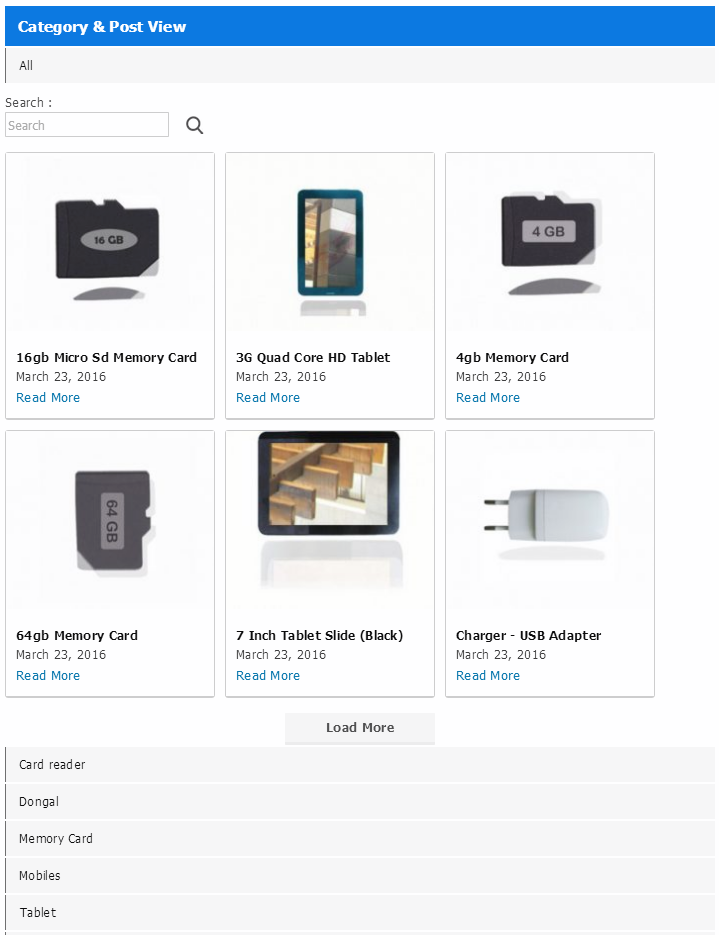
- 📐 List and Grid Layouts: Display your posts in the layout that works best for your website.
🆓 Free Version – WordPress Accordion Plugin Features
Get started with essential accordion features to organize your WordPress categories and posts. The free version includes everything you need to create a simple, responsive, and attractive category accordion menu.
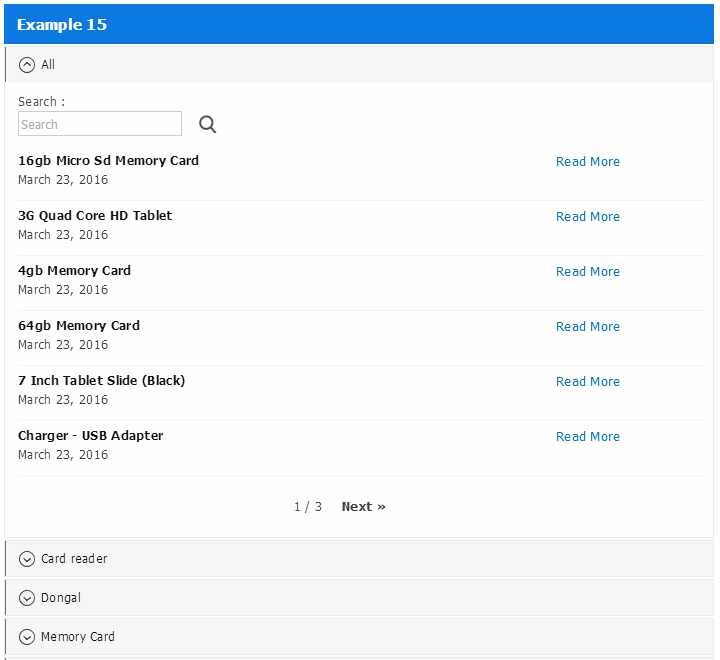
- ⚡ AJAX-Based Next-Previous Pagination: Load posts dynamically without reloading the page.
- 📱 Responsive Styles: Use responsive accordion styles and customizable templates that work across different screen sizes.
- 🎨 Clean and Modern Designs: Give your categories and posts a neat and attractive appearance.
- 🧩 Unlimited Sidebar Widgets: Create unlimited accordion widgets and use them on the same page or across different pages.
- 🎯 Custom Color Settings: Change text and background colors directly from the admin panel.
- 📝 Widget Heading Customization: Customize the appearance of widget headings, category tabs, and post titles.
- 📂 WordPress Accordion Category Menu: Display categories in an easy-to-navigate accordion menu.
- ☑️ Category Selection: Choose which WordPress categories should appear in your accordion panel.
The free version is a great choice if you want to add a category accordion menu or display your WordPress posts in a more organized way.
💎 Premium Features – Unlock More Possibilities
Need more control over your accordion design and functionality? Upgrade to the premium version and get access to advanced templates, animations, AJAX options, and powerful customization settings.
🎨 1. Responsive Templates & Animation Effects
- 🌟 10+ Responsive Accordion Templates: Choose from more than 10 professionally designed accordion templates.
- ✨ Elementor and Gutenberg Editor Blocks: Easy to add in pages and posts by dynamic block
- 📱 Fully Responsive Designs: Create accordion layouts that look great on all screen sizes.
- 🖼️ List and Grid View: Display posts in list or grid layouts according to your preference.
⚡ 2. AJAX Pagination & Search
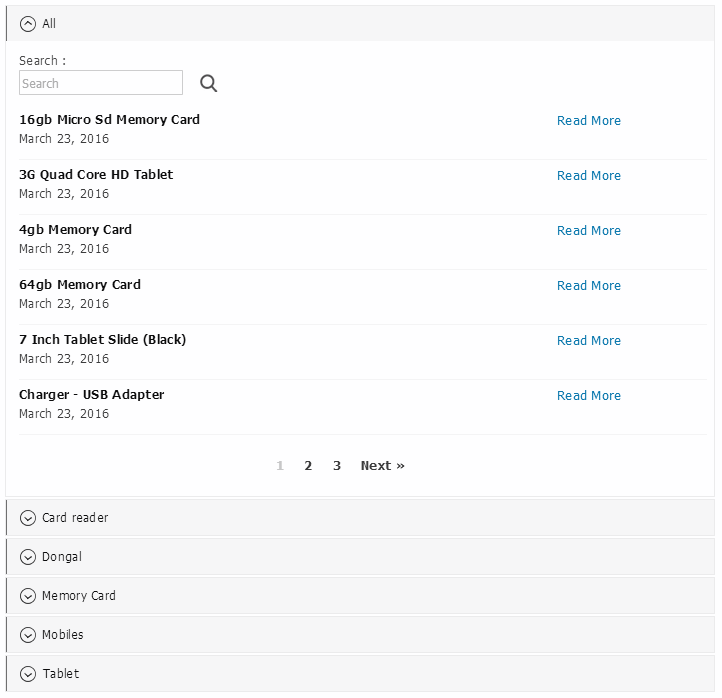
- 🔄 Three Types of AJAX Pagination: Choose from three different AJAX-based pagination options.
- 🔍 AJAX Search Functionality: Allow visitors to search for posts and find relevant content without refreshing the page.
- 🚀 Smooth Content Loading: Give visitors a faster and more convenient way to browse your website content.
🛠️ 3. Advanced Display & Customization Settings
- 👁️ Show or Hide Elements: Choose which elements should be visible in the accordion panel.
- 🖼️ Post Image Size Settings: Set the maximum width and height of post images.
- 🧩 Custom Post Type Support: Display content from custom post types.
- 🏷️ Tags and Taxonomy Support: Use WordPress tags or other taxonomies as accordion panels.
- 🔢 Post Count Display: Show or hide the number of posts in each category.
- 📂 Empty Category Settings: Choose whether to display or hide categories without posts.
- 📌 Default Open Category: Automatically open a selected category when the accordion loads.
- ↕️ Custom Category Sorting: Sort categories by name, custom IDs, or title.
- 🔤 Post Sorting Options: Order posts by post ID or title.
- 🚫 Category Visibility Control: Hide or display selected categories in the accordion.
- 📋 All Label Support: Add an “All” accordion panel to display posts from all selected categories.
- 📏 Custom Item Spacing: Adjust the space between accordion items in pixels.
👤 4. Post Information & Category Navigation
- 🖊️ Author Name and Image: Show or hide the post author’s name and profile image.
- 💬 Comments Count: Display or hide the number of comments for each post.
- 🌳 Subcategory Tree View: Display hierarchical subcategories using a single-level category tree.
- 🌐 RTL Support: Support right-to-left layouts for RTL-language websites.
- 📄 Flexible Content Display: Add accordion panels to any supported page, post, or content area.
🔗 5. Shortcodes & Page Builder Support
- ⚙️ Shortcode Creation: Create customized accordion layouts using shortcode settings.
- 🧱 Visual Composer Support: Configure accordion panels using the Visual Composer plugin.
- 📍 Flexible Placement: Display accordion panels inside page content, posts, and other supported website areas.
- 🧩 Multiple Widgets: Add different accordion configurations to multiple sidebar areas.
❤️ WordPress FAQ Plugin for Blogs & WooCommerce Stores
Looking for a better way to display frequently asked questions on your website? This plugin can also be used as a WordPress FAQ builder to organize questions and answers into expandable accordion panels.
For WooCommerce stores, you can use accordion layouts to display WooCommerce product FAQs , product information, and common customer questions. This makes it easier for shoppers to find the information they need before making a purchase.
Here are some ways you can use the FAQ accordion plugin:
- 🛍️ WooCommerce Product FAQ: Display frequently asked questions related to your products.
- ❓ FAQ Sections: Create organized question-and-answer sections for your website.
- 📚 Knowledge Base: Display helpful articles and information under different categories.
- 📝 Blog Content: Organize blog posts and tutorials into expandable category panels.
- 🏢 Business Websites: Present important information in a clean and structured layout.
📱 Easy to Add Accordion to Any WordPress Website
Adding an accordion to your website doesn’t have to be complicated. With unlimited shortcodes and widget support, you can easily display accordion panels wherever you need them.
Whether you are using the WordPress block editor, a compatible page builder, or a classic WordPress theme, the plugin provides flexible options for adding accordion content.
If you are searching for a Gutenberg accordion block , WordPress FAQ block , or an Elementor accordion plugin solution, this plugin offers flexible ways to add accordion-style content to your website.
🚀 Why Choose This WordPress Accordion Builder?
A good accordion should make content easier to find, not harder to navigate. That’s exactly what this plugin is designed to do.
With category-based navigation, AJAX-powered loading, multiple design templates, and advanced customization options, you get a complete WordPress accordion builder for managing and displaying website content.
Here’s what makes it useful:
- ❤️ Keep your website content clean and organized.
- 📂 Make category and post navigation easier for visitors.
- 🔍 Help users find relevant content with AJAX search.
- ⚡ Load additional posts without refreshing the page.
- 🎨 Customize the design with templates, colors, and animation effects.
- 📱 Provide a smooth experience on mobile, tablet, and desktop.
- 🛠️ Manage categories, posts, tags, taxonomies, and custom post types.
- 🧩 Add accordion panels anywhere using shortcodes and widgets.
- 💬 Display FAQs and product information in an easy-to-read format.
🎉 Get Started Today!
Start with the free version to explore the essential category and post accordion features, or upgrade to premium to enjoy 10+ responsive templates, 40+ hover effects, AJAX search, advanced pagination, and many more customization options.
Make your website easier to browse and your content easier to find with a feature-rich WordPress Accordion Plugin for Categories, Posts, and Product FAQs . ❤️
Accordion Plugin – Category Posts, Product FAQs & Load More
$38.00 Original price was: $38.00.$6.00Current price is: $6.00.
Purchase Includes
🗎 30-day money-back guarantee
🗎 Product updates and improvements
🗎 Customer documentation support
Plugin Version
🗎 Version 1.0.1
🗎 Last updated 1 month ago
🗎 WordPress version 4.0 or higher
🗎 Tested up to 7.1.2
🗎 PHP version 7.2 or higher
Excellent 4.9 of 5 stars rating
Based on 530+ real users reviews

4.9 of 5 (125 reviews)

5 of 5 (225 reviews)



We bring innovation and creative freedom to the WordPress ecosystem
Sapien sagittis interdum quisque urna luctus eget morbi vivamus eget cras scelerisque lectus proin aliquam erat pellentesque pellentesque sed lectus volutpat semper pellentesque aliquam in metus.
Join over 12,898 of customers that already building amazing websites